
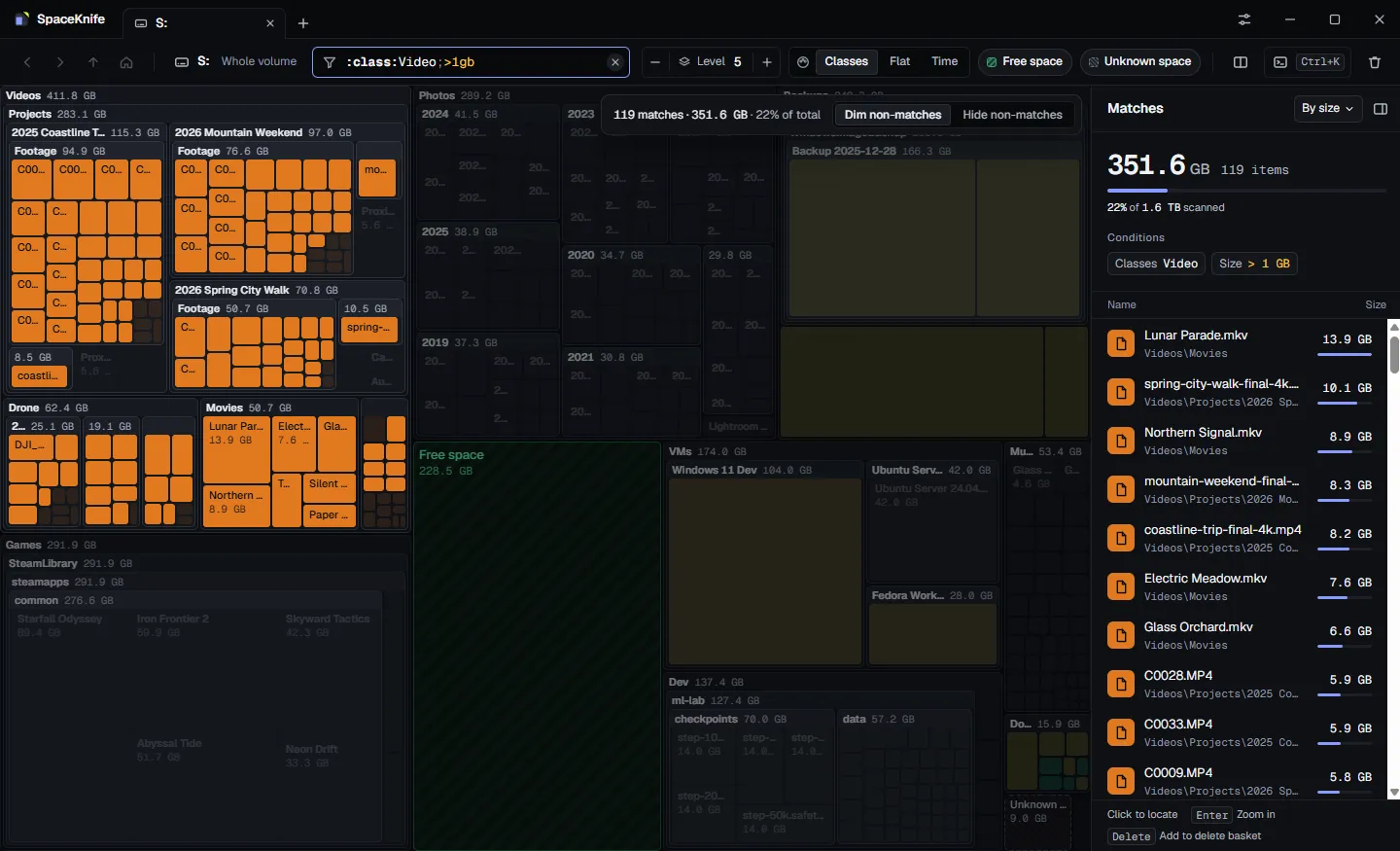
Find it with a filter
:class:Video;>1gb keeps every video over 1 GB lit and dims the rest. The matches are listed beside the treemap, sorted by size.
SpaceKnife draws every folder and file as a block sized by the space it takes, live while it scans. Find the space hogs, see what grew since last month, and clean up safely.
macOS is not supported yet.
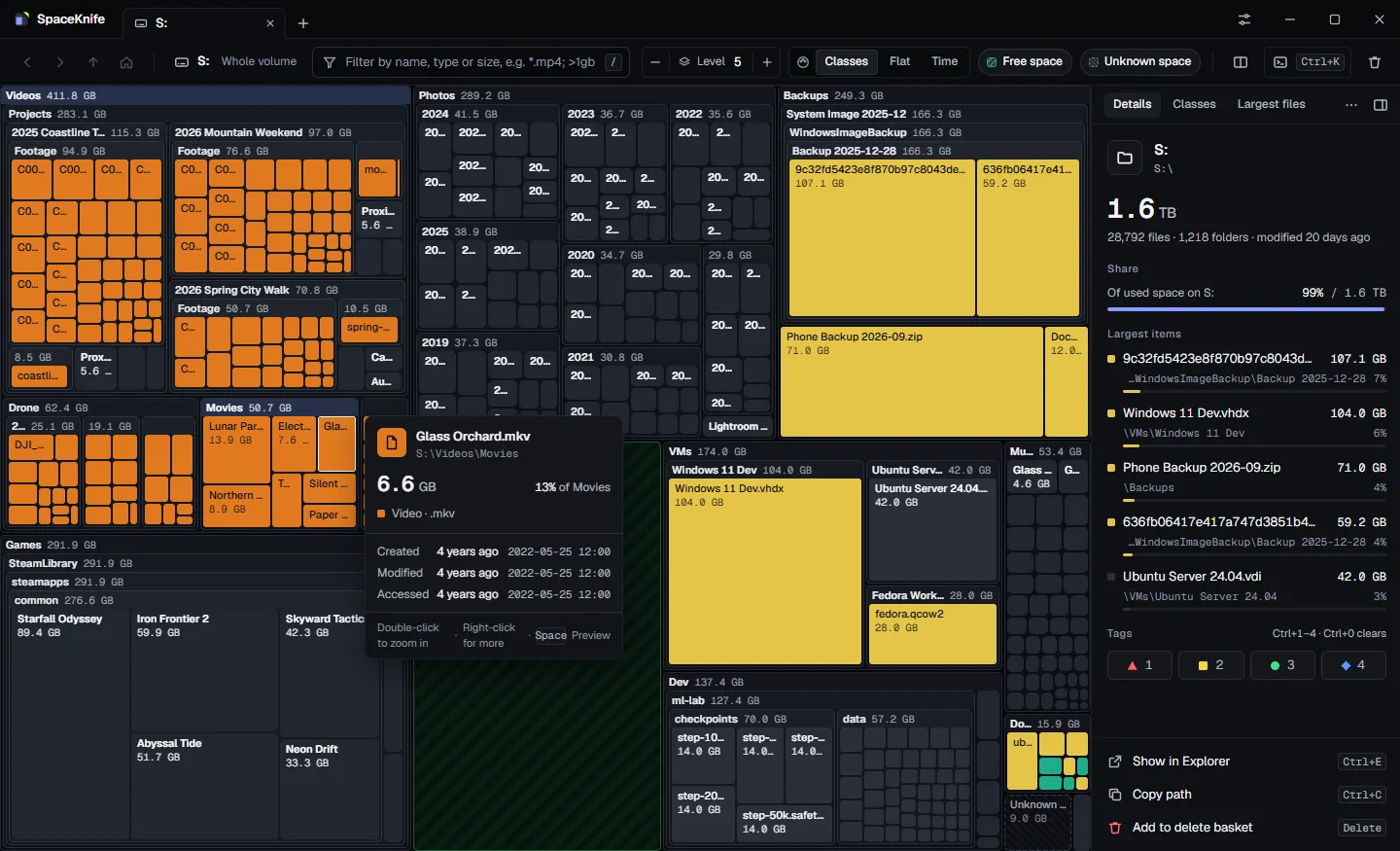
Screenshots use mock data, not a real disk.
Built from first principles for today's huge drives: fast to scan, calm on your disk, safe to clean.
WebGL rendering that fills in while the scan runs, with zoom animation, hover details, detail levels and free and unknown space drawn as blocks.
A native Rust extension walks folders in parallel; on Windows a quick scan reads the NTFS Master File Table directly.
Cap the disk load the scan causes (max, balanced, quiet, idle or custom); it backs off when other programs need the disk.
After the scan, changes keep flowing in and changed blocks flash, so the picture never goes stale.
Filter by name, type, size, dates, attributes and tags, and combine them; compatible with SpaceSniffer-style filters.
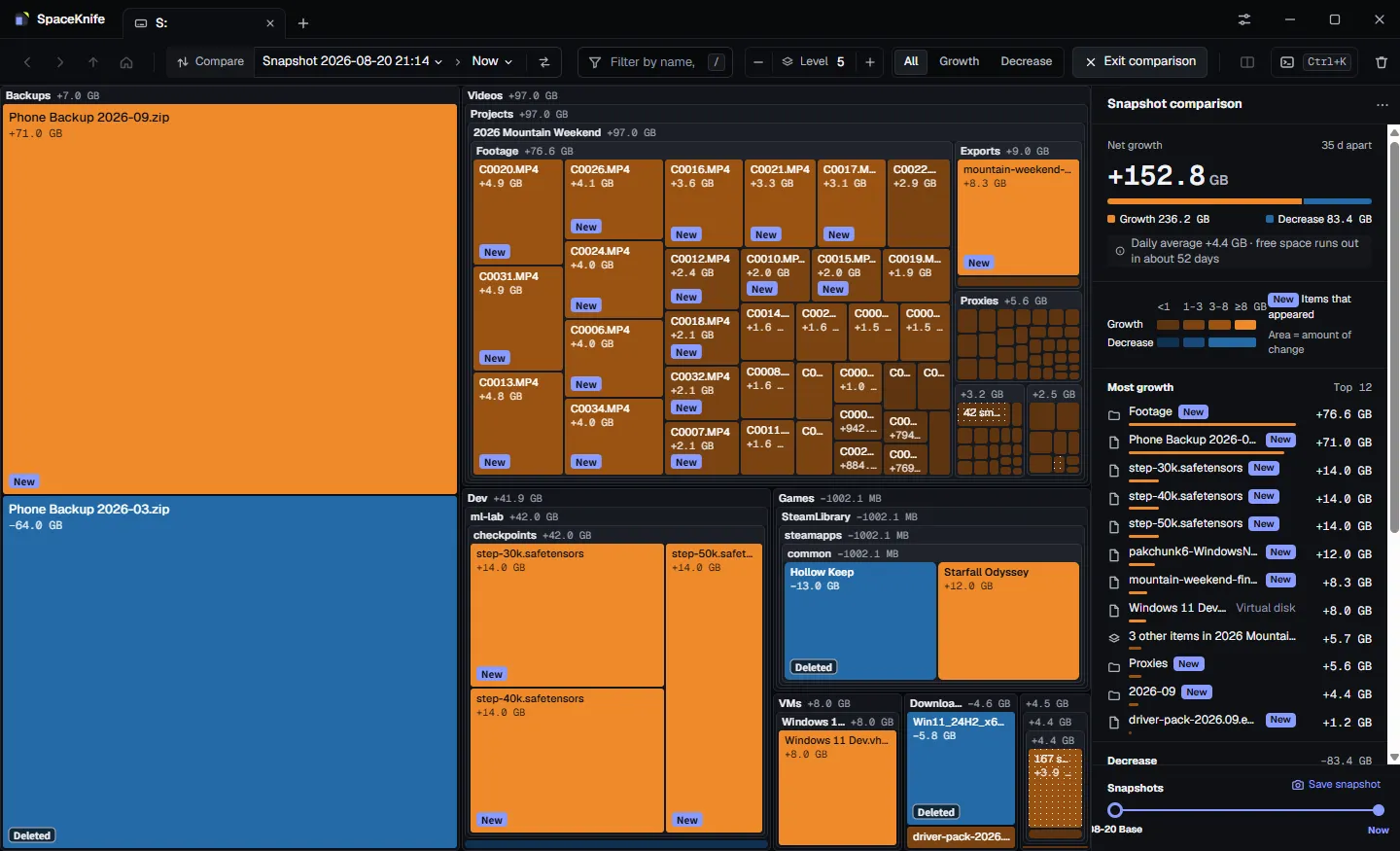
Every scan is saved; compare any two, or a snapshot with now, and see exactly what grew, shrank, appeared or vanished.
Collect items in a delete basket; they go to the recycle bin by default and can be restored. System folders are protected.
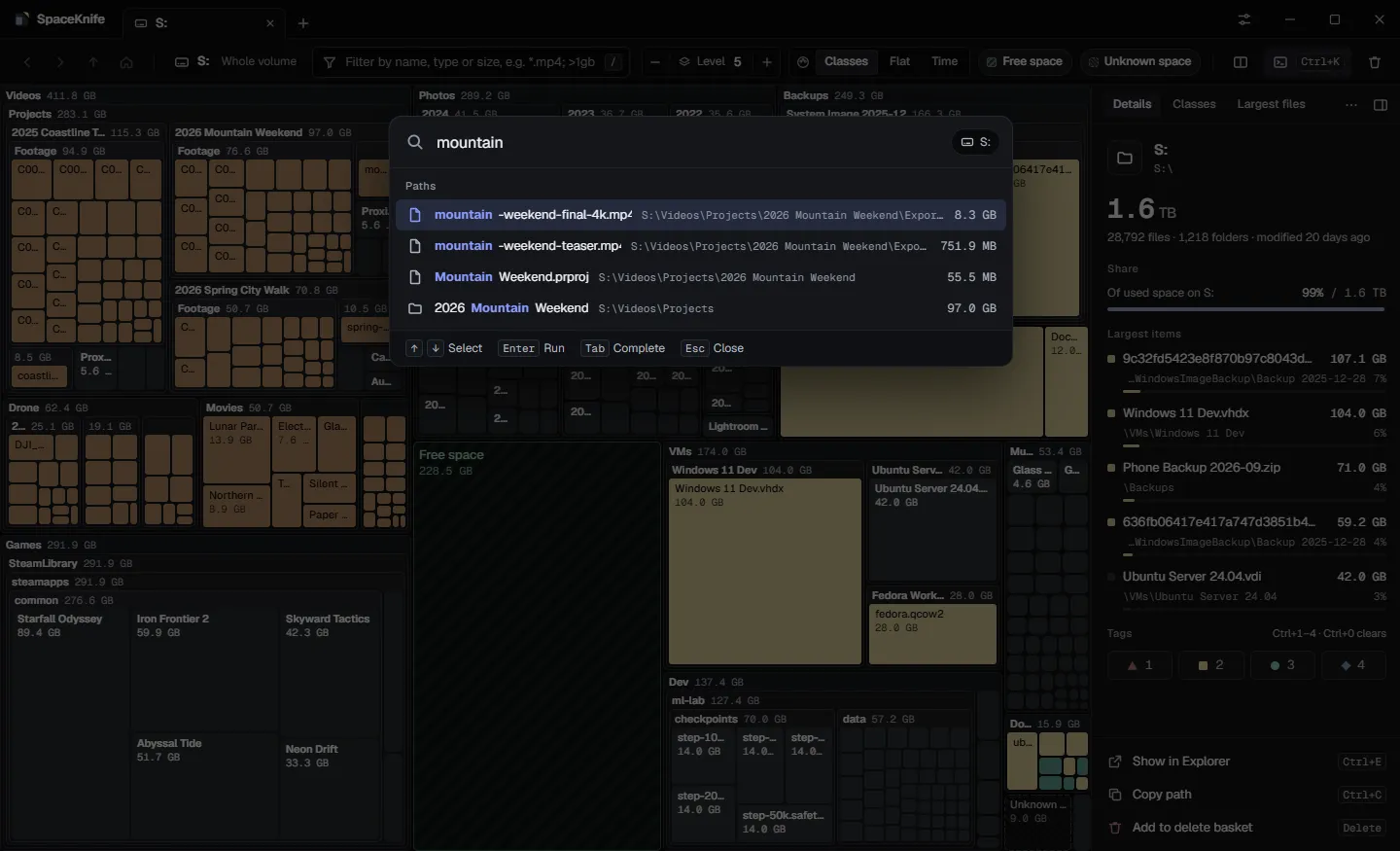
Ctrl+K searches the whole scan by name and runs any command, without leaving the keyboard.
Export reports as CSV, JSON, HTML and more, or scan, compare and export from a terminal.
Real screens of SpaceKnife 0.3, showing a made-up 2 TB drive.
:class:Video;>1gb keeps every video over 1 GB lit and dims the rest. The matches are listed beside the treemap, sorted by size.
Compare two snapshots: orange grew, blue shrank, new and deleted items are marked, and SpaceKnife estimates when free space runs out.
The command palette searches every file and folder of the scan by name and runs any command.
SpaceKnife is MIT-licensed. The scanner, the treemap layout and the filter engine run in a Python backend with a native Rust extension; the Electron interface talks to it over a documented WebSocket protocol.
# scan a folder or a whole drive
$ spaceknife-backend scan D:\
# the snapshots saved after each scan
$ spaceknife-backend snapshot list
# every option
$ spaceknife-backend --help
Free for personal and commercial use. Each release lists SHA-256 checksums.
Windows 10 and 11, x64. Install for yourself or for all users.
DownloadSpaceKnife-0.3.0-Setup-x64.exe
a155931fc38d92d483957c010a4f0eb83fd5be89a29e184ed6a357a2efc3a1c9Ubuntu 22.04+, Debian 12+ and derivatives.
Downloadspaceknife_0.3.0_amd64.deb
e6ed0520bb1534e805d925d5376f10d3cfd18709bab97e0174ffa83f7976c6d7RHEL 9+, Rocky, Alma, Fedora and derivatives.
Downloadspaceknife-0.3.0.x86_64.rpm
ddda0eb6126d747f41e4fab220d6ba390cbbe80b1b5724e9f4eb9f2d198bb379Any x64 Linux with glibc 2.34+. Needs FUSE 2.
DownloadSpaceKnife-0.3.0-x86_64.AppImage
78c10339906969056579330672e9d4a72b5af4af6ee167e1093b832145c9f78eThis is a pre-release: the installers are not code-signed yet, so Windows SmartScreen asks once (More info › Run anyway). All releases · SHA256SUMS.txt · macOS is not supported yet.
Yes. SpaceKnife is free and open source under the MIT license, for personal and commercial use.
No. SpaceKnife is an independent project inspired by SpaceSniffer; it is not affiliated with SpaceSniffer or its author.
Windows 10 and 11 (x64), and x64 Linux: Ubuntu 22.04+, Debian, RHEL 9+, Fedora, or any distribution through the AppImage. macOS is not available yet.
No. SpaceKnife has no account and no telemetry; scans, snapshots and settings stay on your computer.
Deleting moves items to the recycle bin by default and can be undone; system and program folders are protected, and permanent deletion asks first.
Reading the NTFS Master File Table needs administrator rights, so a small read-only helper asks once. The regular parallel scan needs no special rights.